Lux Meter Visual Basic Code
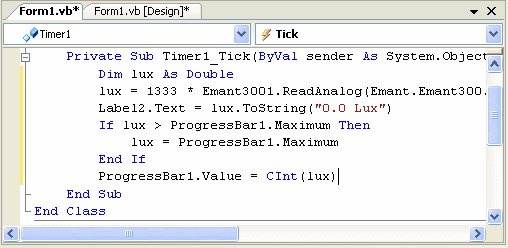
- Double click on Timer1 component will cause its event handler to be created. Add the highlighted code below to the timer1_Tick event handler.
Private Sub Timer1_Tick(ByVal sender As System.Object, ByVal e As System.EventArgs)
Handles Timer1.Tick
Dim lux As Double
lux = 1333 * Emant3001.ReadAnalog(Emant.Emant300.AIN.AIN0,Emant.Emant300.AIN.COM)
Label2.Text = lux.ToString("0.0 Lux")
If lux > ProgressBar1.Maximum Then
lux = ProgressBar1.Maximum
End If
ProgressBar1.Value = CInt(lux)
End Sub
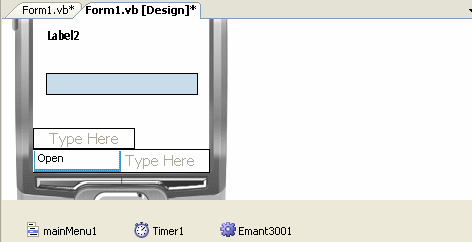
- We need to create two events: one to use the Open method to connect to the DAQ module and the other for the Close method to close the DAQ connection before exiting the program. To create the Open event, click on the left menu area and type Open.
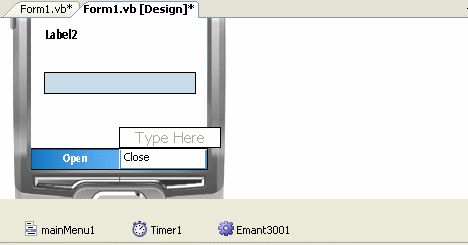
- Now click on the right menu area and type Close
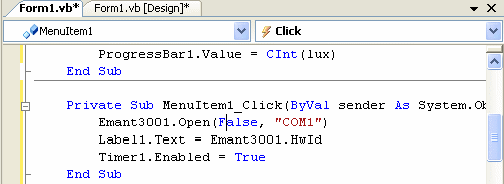
- Now click on the Open menu item to show the event code. Enter highlighted code.
Private Sub MenuItem1_Click(ByVal sender As System.Object, ByVal e
As System.EventArgs) Handles MenuItem1.Click
Emant3001.Open(False, "COM1")
Label1.Text = Emant3001.HwId
Timer1.Enabled = True
End Sub
- Click on the Design Tab and then click on the Close menu item to show the event code. Enter highlighted code.
Private Sub MenuItem2_Click(ByVal sender As System.Object, ByVal e
As System.EventArgs) Handles MenuItem2.Click
Timer1.Enabled = False
Emant3001.Close()
Application.Exit()
End Sub