Install EMANT300M Component
- We will need to install the
Emant300M component. The Emant300 component is required to
program the EMANT380 Bluetooth DAQ module. It is in the assembly
Emant300M.dll. To integrate the Emant300M component
in Visual Studio .NET,
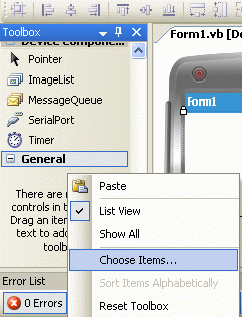
- Select the General tab in the Toolbox
- Right-click on the Toolbox background
- Select Choose Items...
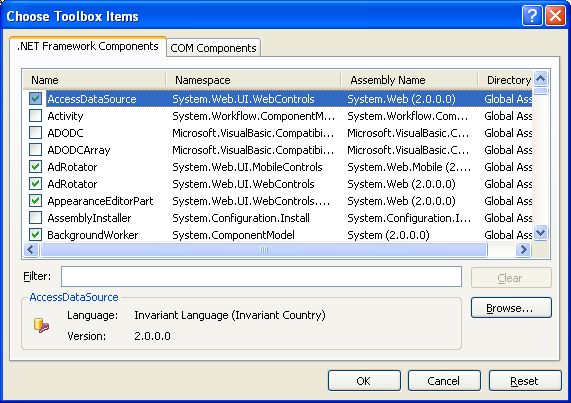
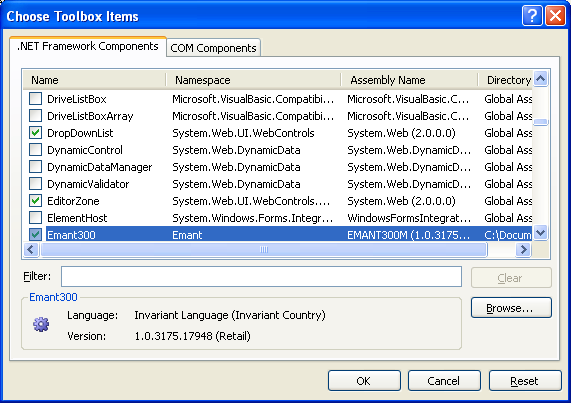
- On the Choose Toolbox Items Dialog, select the NET Framework Components tab. Click the Browse Button
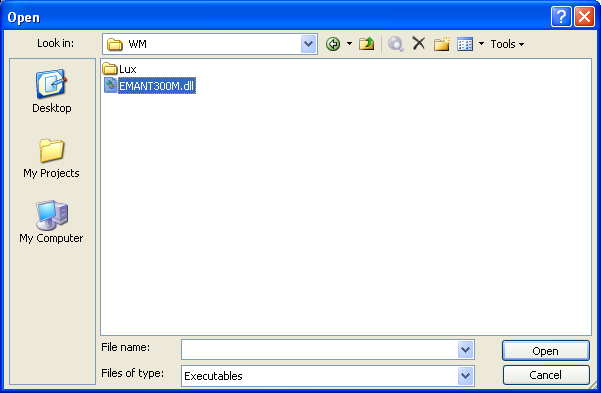
- Locate and select the Emant300M.dll assembly in the EMANTVB2005WM folder. Click Open
- Click OK
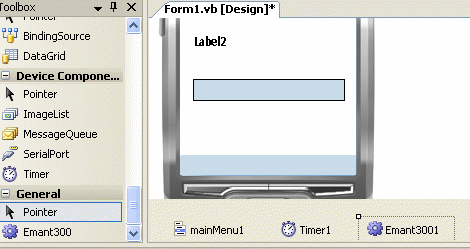
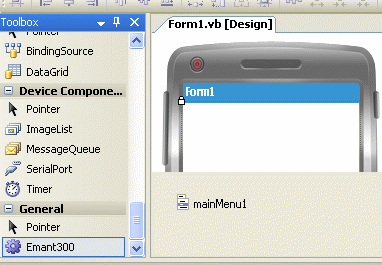
- If your control is successfully installed, your General tab will display the control – in this case the Emant300. Note that you need to install your components only once. It will be available for subsequent projects until you remove them.
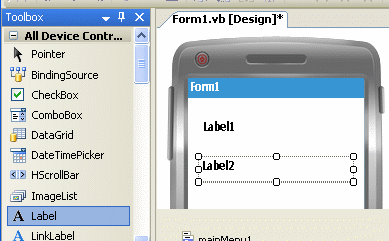
- From the Toolbox and click on Label control. Add 2 label controls.
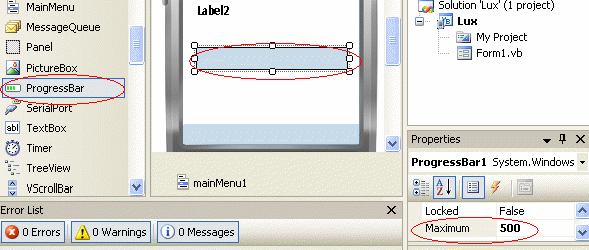
- From the Toolbox and click on Progressbar control. On its Properties window, set the Maximum to 500.
- Now add the two components Timer and Emant300. Click on Timer While holding on the mouse left button, drag the Timer to the form and release the left button to get the component placed as shown in the figure above. You must release the component on the form. The Timer component, as a non-visual component, resides in a component tray which is at the bottom of the form designer. Repeat for the Emant300 component. The Form should look as below.